The LG 34U530A 34-inch Monitor is designed for users who want more screen space without stepping into expensive high-resolution territory. With a 34-inch UltraWide display, 21:9 aspect ratio, and a smooth 100Hz refresh rate, it focuses on productivity, comfort, and versatility.
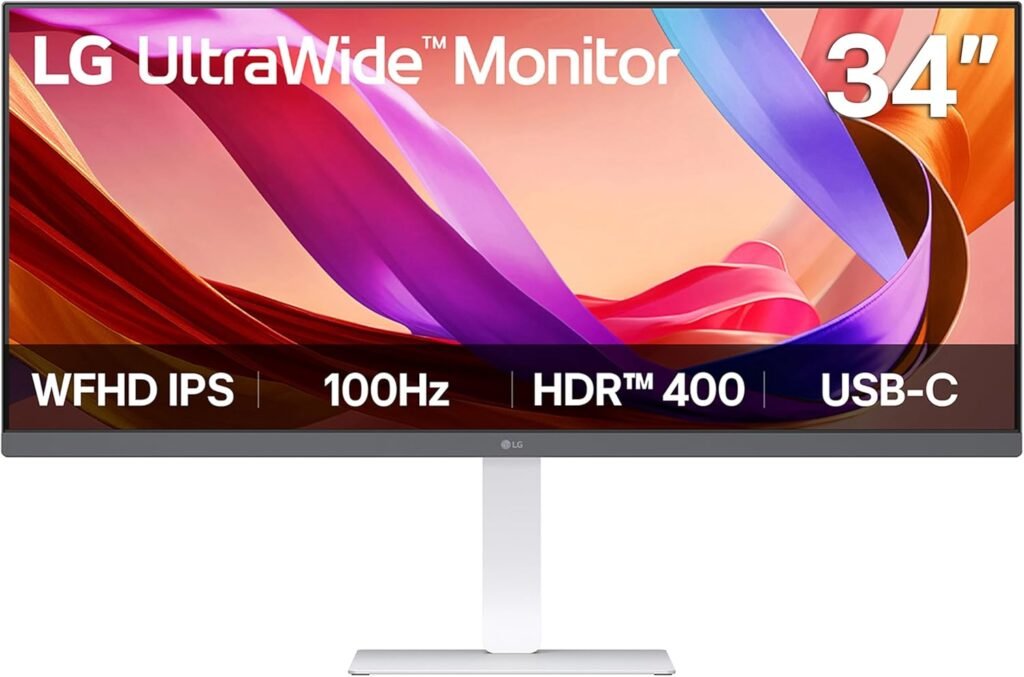
It’s not trying to be a high-end gaming or professional editing monitor—instead, it aims to be a reliable everyday screen that makes multitasking easier and more enjoyable.
LG 34U530A 34-inch Monitor Features
34-inch UltraWide 21:9 Display
The 34-inch WFHD (2560 × 1080) IPS display gives you significantly more horizontal space compared to a standard monitor. This makes it ideal for multitasking—whether you’re working with spreadsheets, editing documents, or managing multiple browser tabs at once.
IPS Panel with Wide Viewing Angles
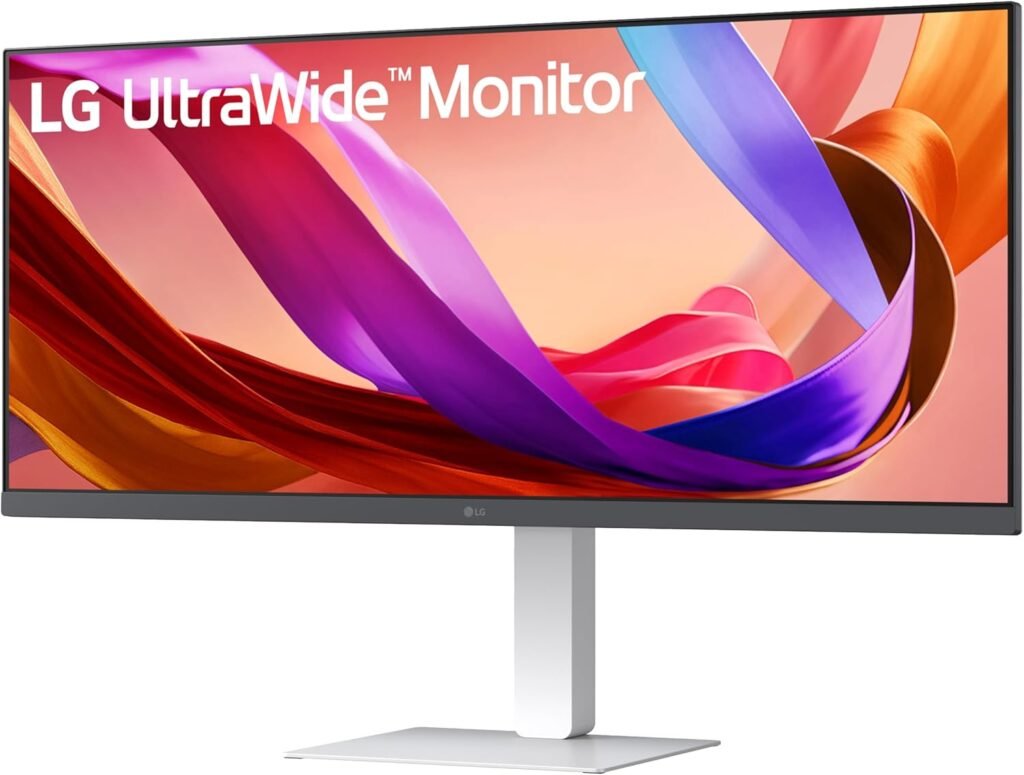
The IPS panel ensures colors remain consistent even when viewed from different angles. This is especially useful if you often shift positions or share your screen during meetings.
VESA DisplayHDR 400 and 99% sRGB
With HDR400 support and up to 99% sRGB color coverage, the monitor delivers decent brightness and color accuracy. Colors look natural and vibrant, making it suitable for content consumption and light creative tasks.
100Hz Refresh Rate
The 100Hz refresh rate makes everyday interactions smoother. Scrolling, animations, and video playback feel more fluid compared to traditional 60Hz monitors, improving the overall experience.
USB Type-C Connectivity
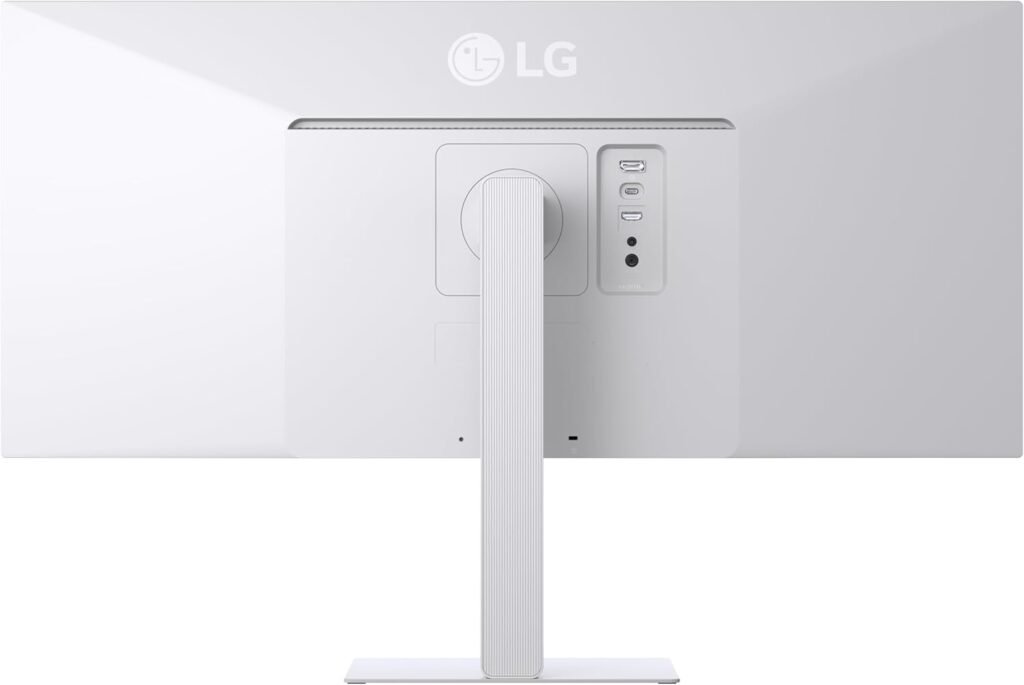
USB Type-C support allows you to connect compatible laptops with a single cable for display and data transfer. It helps reduce cable clutter and keeps your desk setup clean.
Built-in Stereo Speakers with MaxxAudio
The monitor comes with built-in stereo speakers enhanced by Waves MaxxAudio. The sound is clear and decent for casual use like video calls, movies, or background music.
Switch App for Multitasking
LG’s Switch app allows you to divide your screen into multiple sections. You can easily organize your workspace, run multiple apps side-by-side, or set up layouts that match your workflow.
Ergonomic Adjustable Stand
The stand supports height, tilt, and swivel adjustments, allowing you to customize your viewing position. The slim L-shaped base also saves desk space, making your setup look cleaner.
Reader Mode and Eye Comfort
Reader Mode adjusts brightness and color temperature to reduce eye strain. This is particularly useful if you spend long hours reading or working on documents.
LG 34U530A 34-inch Monitor Price in the US
The LG 34U530A is priced at $229.99 in the US, often available as a limited-time deal on Amazon. For a 34-inch ultrawide with these features, the pricing feels reasonable and competitive.
Get Offer – Buy on Amazon
LG 34U530A 34-inch Monitor Review
Using the LG 34U530A in a daily setup, the biggest advantage is immediately clear—the extra width changes how you work. Instead of constantly switching between tabs, you naturally start arranging multiple windows side by side. It makes multitasking feel more natural and less frustrating.
The display quality is solid for its category. While it’s not the sharpest due to its WFHD resolution, it still looks clean and comfortable for everyday use. Text is readable, colors are balanced, and the IPS panel keeps everything consistent across the screen.
The 100Hz refresh rate adds a subtle but noticeable improvement. Scrolling through long pages, switching between apps, and even watching videos feels smoother. It’s not a gaming-focused monitor, but the added smoothness makes a difference in everyday use.
Another highlight is how convenient the USB Type-C connection is. Being able to connect a laptop with a single cable simplifies the setup and reduces clutter, especially for work-from-home users.
The built-in speakers are surprisingly usable. While they won’t replace dedicated speakers, they’re perfectly fine for video calls, casual music, or watching shows without needing extra equipment.
Comfort is also a strong point. The adjustable stand and wide screen reduce the need for constant head movement, and Reader Mode helps during long work sessions.
Of course, it’s not perfect. The WFHD resolution on a 34-inch display isn’t the sharpest option available, especially if you’re used to higher-resolution screens. But for general productivity and media use, it still performs well.
Overall, the experience feels practical, comfortable, and efficient—exactly what this monitor is designed for.
LG 34U530A 34-inch Monitor Pros and Cons
Pros
- Large 34-inch ultrawide screen for multitasking
- Smooth 100Hz refresh rate
- Good color quality with IPS panel
- USB Type-C simplifies connectivity
- Built-in speakers with decent audio
- Adjustable ergonomic stand
Cons
- WFHD resolution may feel less sharp on a large screen
- HDR performance is basic
- Not designed for high-end gaming
- Limited USB ports
Should you buy LG 34U530A 34-inch Monitor?
If your priority is productivity, multitasking, and a clean desk setup, this monitor is a great choice. It’s especially useful for professionals, students, and remote workers who want more screen space without spending too much.
However, if you need higher resolution for detailed creative work or want a gaming-focused display, you might want to consider other options.
Final Verdict
The LG 34U530A is a practical ultrawide monitor that focuses on usability rather than flashy specs. It delivers a comfortable viewing experience, smooth performance, and enough features to improve your daily workflow.
For its price, it’s a solid choice for anyone looking to upgrade to an ultrawide setup without going over budget.
You can also check LG 27U411A 27-inch Monitor Review and LG 27G640A 27-inch Gaming Monitor Review.
FAQs
Q1. Is the LG 34U530A good for multitasking?
Yes, the 21:9 ultrawide screen gives you more space to run multiple apps side by side, making multitasking much easier.
Q2. Does the LG 34U530A support USB-C connectivity?
Yes, it includes a USB Type-C port for display and data transfer, helping reduce cable clutter.
Q3. Is the LG 34U530A suitable for gaming?
It can handle casual gaming with its 100Hz refresh rate, but it’s not designed for competitive or high-end gaming.
Q4. Are there built-in speakers in this monitor?
Yes, it has built-in stereo speakers with Waves MaxxAudio, which are good enough for everyday use.
Q5. Is the resolution good enough for a 34-inch monitor?
The WFHD resolution works well for general use, though it may not feel as sharp as higher-resolution displays like QHD or 4K.
Explore our News Section for daily updates and the latest tech news.