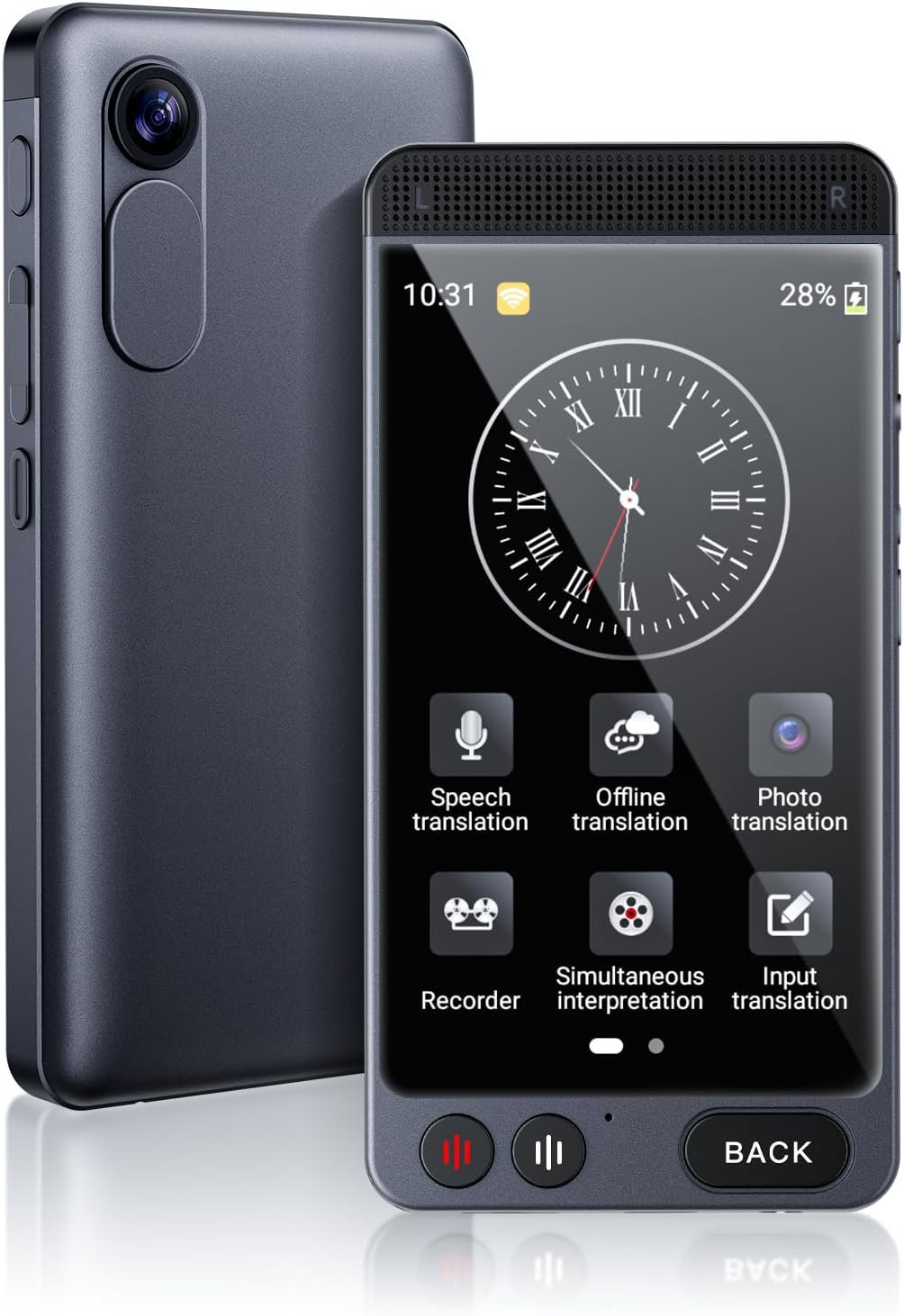
The MINIBEAR D21 Language Translator is one of those gadgets that feels surprisingly useful once you actually start using it. On paper, it promises a lot—offline translation, real-time voice conversion, photo translation—and honestly, for the price, it sounds almost too good.
But after spending some time with it, it turns out this little device is more than just a spec sheet. It’s built for real situations—traveling in a new country, trying to understand menus, or even handling simple conversations when you don’t speak the language.
It’s not perfect (no translator really is), but it definitely gets the job done in most everyday scenarios.
MINIBEAR D21 Language Translator Features
142 Language Support with Offline Capability
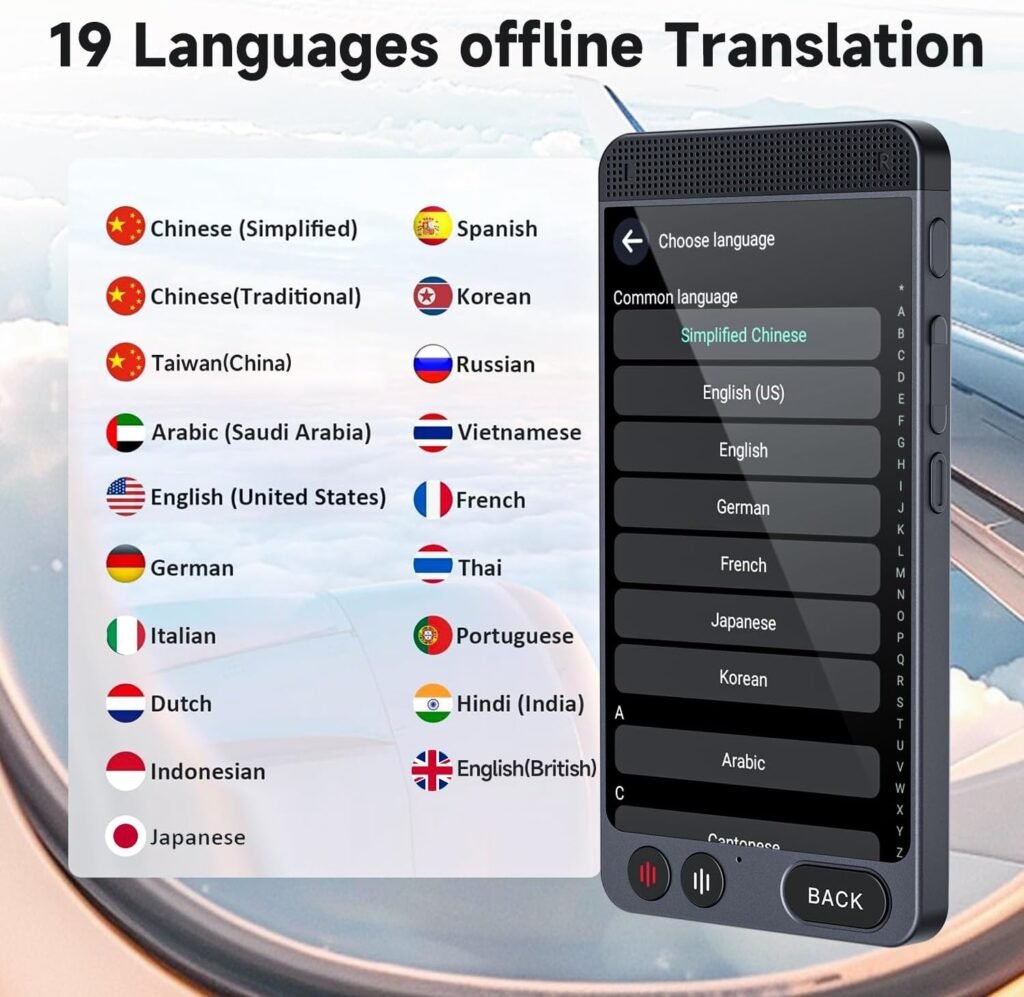
One of the biggest highlights here is the wide language support. You get up to 142 languages online, plus 19 languages offline. That offline feature is a lifesaver—especially when you’re traveling and don’t want to rely on mobile data all the time.
From my experience, offline mode works fine for basic conversations like asking directions or ordering food. But once you switch online, translations feel a bit more natural and detailed. So yeah, offline is handy, but online is where it really shines.
Real-Time Voice Translation
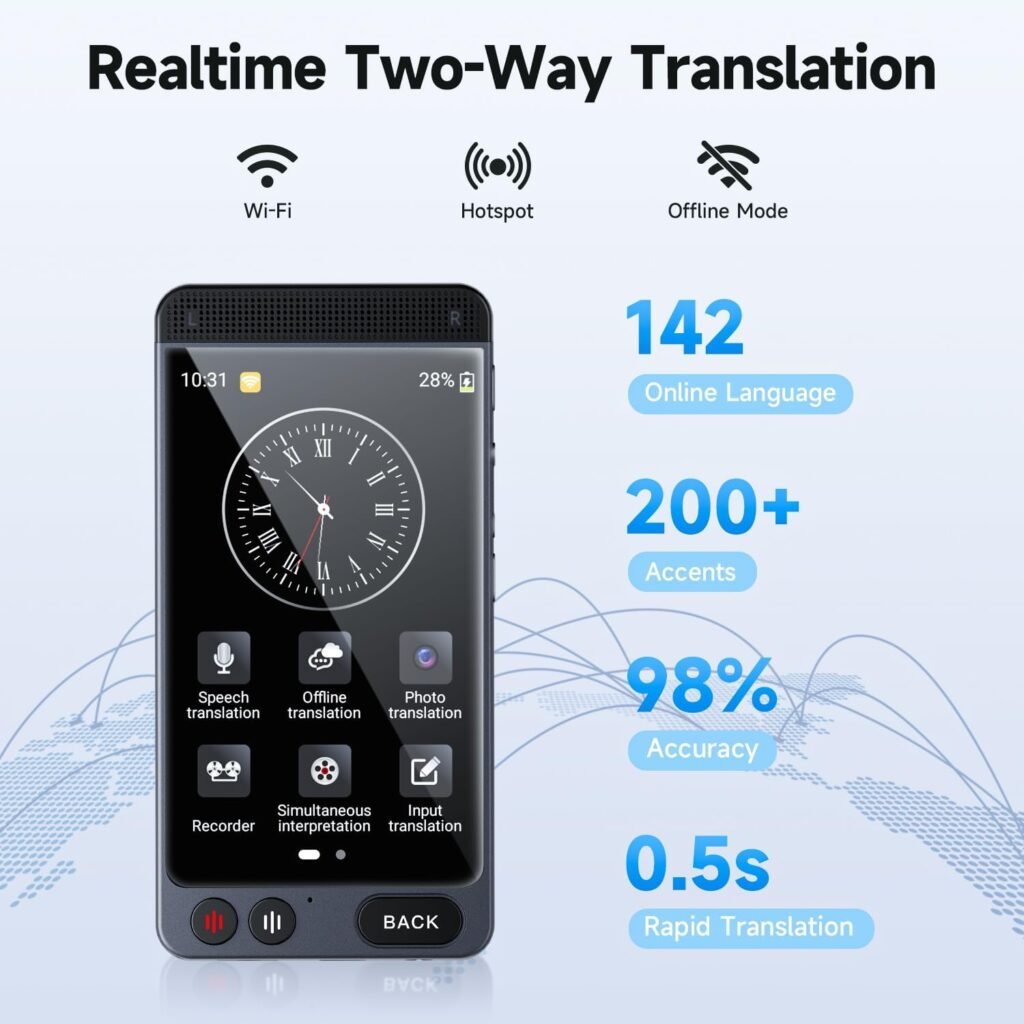
The real-time voice translation is pretty quick. It usually responds within a second or so, which makes conversations feel less awkward.
I tried using it in a casual back-and-forth style conversation, and while it’s not as smooth as talking to a human translator, it’s definitely usable. For travel or basic business chats, it does the job without much frustration.
HD Photo Translation with OCR
This feature is genuinely useful. Just point the camera at a menu, sign, or even a document, and it translates the text.
That said, it’s a bit hit-or-miss. Clear text works great, but messy fonts or poor lighting can confuse it. Still, when it works, it feels super convenient—especially in restaurants or public places.
4-inch Touchscreen & Simple Controls
The 4-inch HD screen is a nice touch. It’s big enough to read translations comfortably, and the interface is simple enough that you don’t need to spend time figuring things out.
There are only a few buttons, so everything feels straightforward. No unnecessary complexity, which I personally appreciate.
Recording & Meeting Translation
This is one of those features you don’t think you’ll use much—but it actually comes in handy. You can record conversations or lectures and get them translated into text.
It’s not perfect for fast-paced discussions, but for meetings or learning situations, it can be quite helpful.
Battery Life That Lasts a Full Day
The 2000mAh battery gives around 8 hours of continuous use, which is more than enough for a day out.
In real-life use, I didn’t have to worry about charging it constantly. And the standby time is solid too—you can leave it in your bag for days without it dying.
MINIBEAR D21 Language Translator Price in the US
The MINIBEAR D21 is priced at $52.99 in the US, and it’s often available at a discounted price on Amazon.
Get Offer – Buy on Amazon
At this price point, it sits comfortably in the budget-to-mid range category, making it a good option if you don’t want to spend a lot on premium translators.
MINIBEAR D21 Language Translator Review
Using the MINIBEAR D21 feels a bit like carrying a mini interpreter in your pocket—just one that occasionally needs a second to catch up.
In real-world use, it performs well for basic travel needs. I tried scenarios like asking for directions, reading menus, and even short conversations, and it handled those pretty smoothly. The translations are generally accurate, especially when you speak clearly and keep sentences simple.
One thing you’ll notice, though, is the startup time. It takes close to a minute to fully boot up, which can be a bit annoying if you need something instantly. This isn’t the kind of device you pull out mid-conversation—it works better when you plan ahead.
The photo translation is useful but not always reliable. It works great on clean, printed text but struggles with stylized fonts or low-light situations. Still, when it works, it saves a lot of effort.
Compared to budget options, this one feels more complete and reliable. But if you compare it to premium translators or even advanced smartphone apps, you’ll notice the difference in speed and accuracy—especially in complex sentences.
That said, for its price, it honestly performs better than expected.
MINIBEAR D21 Language Translator Pros and Cons
Pros
- Supports a wide range of languages (online and offline)
- Real-time translation is fairly quick and usable
- Handy photo translation feature
- Simple interface with a large screen
- Good battery life for daily use
- Affordable compared to premium devices
Cons
- Takes time to boot up (not instant)
- Photo translation can be inconsistent
- Offline translations feel limited sometimes
- Not ideal for fast, complex conversations
Should you buy MINIBEAR D21 Language Translator?
If you travel occasionally, or just want a reliable translator without spending too much, this is a pretty solid choice.
It’s especially useful for tourists, students, or even casual business use where you need quick translations without pulling out your phone every time.
However, if you need lightning-fast responses or highly accurate translations for professional use, you might want to look at more premium options.
Final Verdict
The MINIBEAR D21 is one of those devices that quietly does its job without trying too hard to impress—and that’s actually a good thing.
It’s not perfect. It has small quirks like the slow startup and occasional translation misses. But overall, it delivers where it matters—basic communication, travel convenience, and ease of use.
For around $50, it feels like good value. If you go in with realistic expectations, you’ll probably end up liking it more than you expected. You can also check Winonela P40 Language Translator Review: reliable offline translator for travel.
FAQs
Q1. Does the MINIBEAR D21 work without internet?
Yes, it supports offline translation for 19 common languages, though online mode gives more accurate and natural results.
Q2. How accurate is the translation?
It’s quite accurate for everyday use like travel and simple conversations, but may struggle with complex sentences.
Q3. Can it translate text from photos?
Yes, it has a built-in camera for photo translation, though results can vary depending on lighting and text clarity.
Q4. Is it good for travel?
Definitely. Its offline mode, portability, and long battery life make it a convenient travel companion.
Q5. Does it start instantly?
Not really. It takes around a minute to boot up, so it’s better to turn it on in advance when you expect to use it.